


Task management software: track every project in one place
When requests arrive in chat, email, spreadsheets, and meetings, your team can end up with several lists and no reliable way to tell who owns what. Asana is online task management software that brings the work into one shared place, where each task has an owner and a priority that your team can see. With this task management system, you can check what’s assigned and how work is moving without asking each person for an update.
Why team tasks fall through the cracks

No single list is the real list
A request gets a quick “yes” in chat but never makes it into the spreadsheet. Three weeks later, the deadline passes, and the team has to search the messages to work out what was agreed. When work lives in several places, nobody trusts the list.

Nobody is sure who owns what
Four people leave a meeting assuming someone else will send the client follow-up. When the client asks a week later, the team has to revisit the conversation before anyone can move the work forward.

Status only exists when someone asks for it
On Monday morning, a manager messages each teammate for updates, then passes those answers along. The manager spends time chasing work, while teammates stop working to report on it. Your team isn't disorganized. The work just lives in too many places, and that's the problem task management software solves.
How Asana works as task management software
Get every task into one list, with an owner and a due date
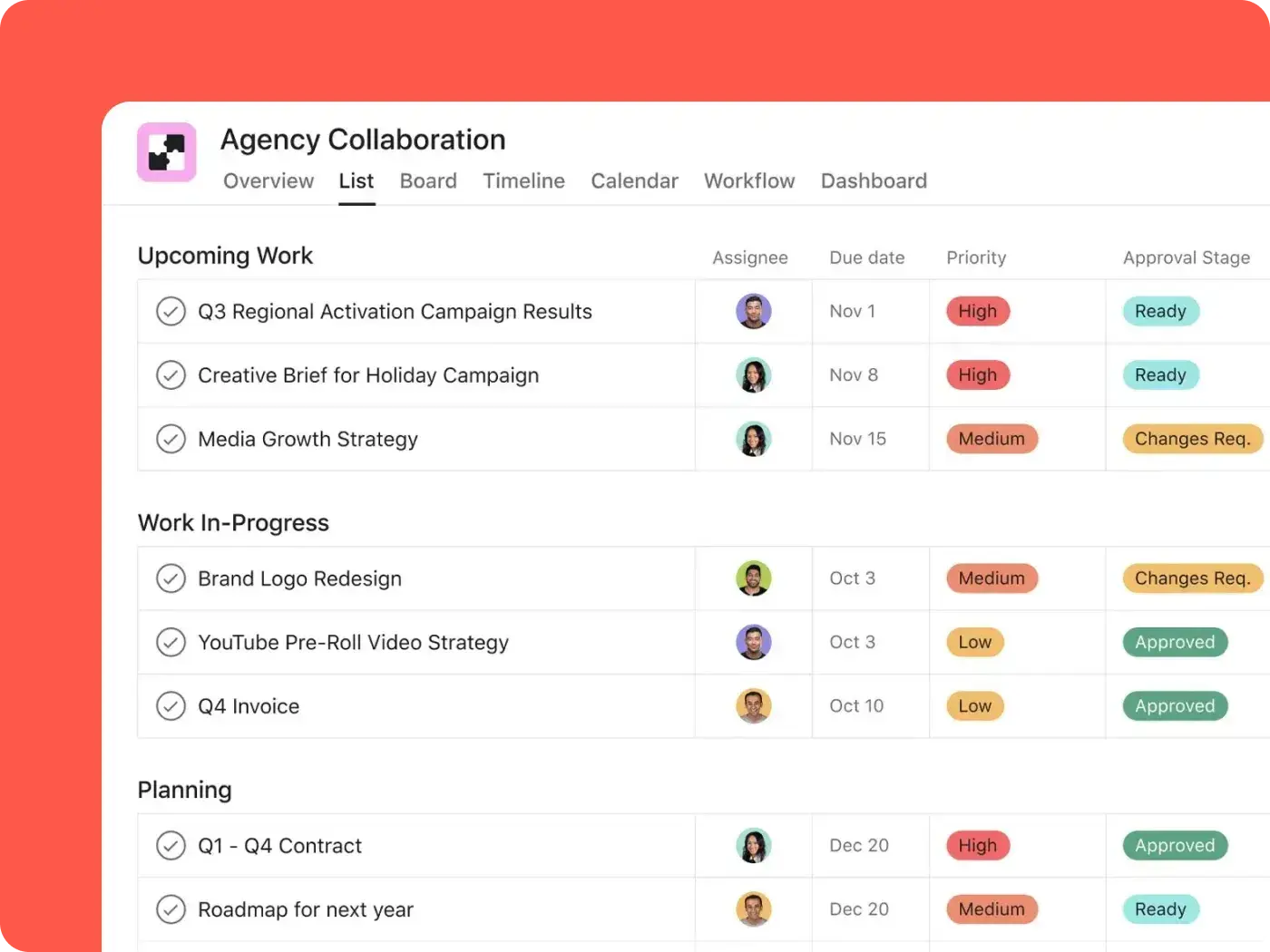
Turn a request from a meeting or message into an Asana task, then add an owner, due date, files, and comments to keep the details with the work. Use subtasks to track each step of a larger assignment. Use time tracking to record expected and actual time when effort matters. In My Tasks, each teammate can see their assignments across projects.

Make priority and ownership visible, not assumed
The assignee is visible on each task, and custom fields let your team mark priority or request type and sort work accordingly. When two departments need to track the same assignment, multi-homing lets you place that task in both projects without making separate copies. An update in one project appears in the other, so everyone sees the same owner, details, and progress.

See where work stands without asking
As a task management system, Asana lets your team see upcoming work in List, Board, Calendar, or Timeline project views. Dependencies show when a task is waiting on another, making blockers easier to spot before a deadline arrives. For a broader picture, status updates bring progress and changes together for stakeholders. Managers can check what’s due and what’s held up without collecting a round of individual updates.

Automate the parts of task management nobody should be doing by hand
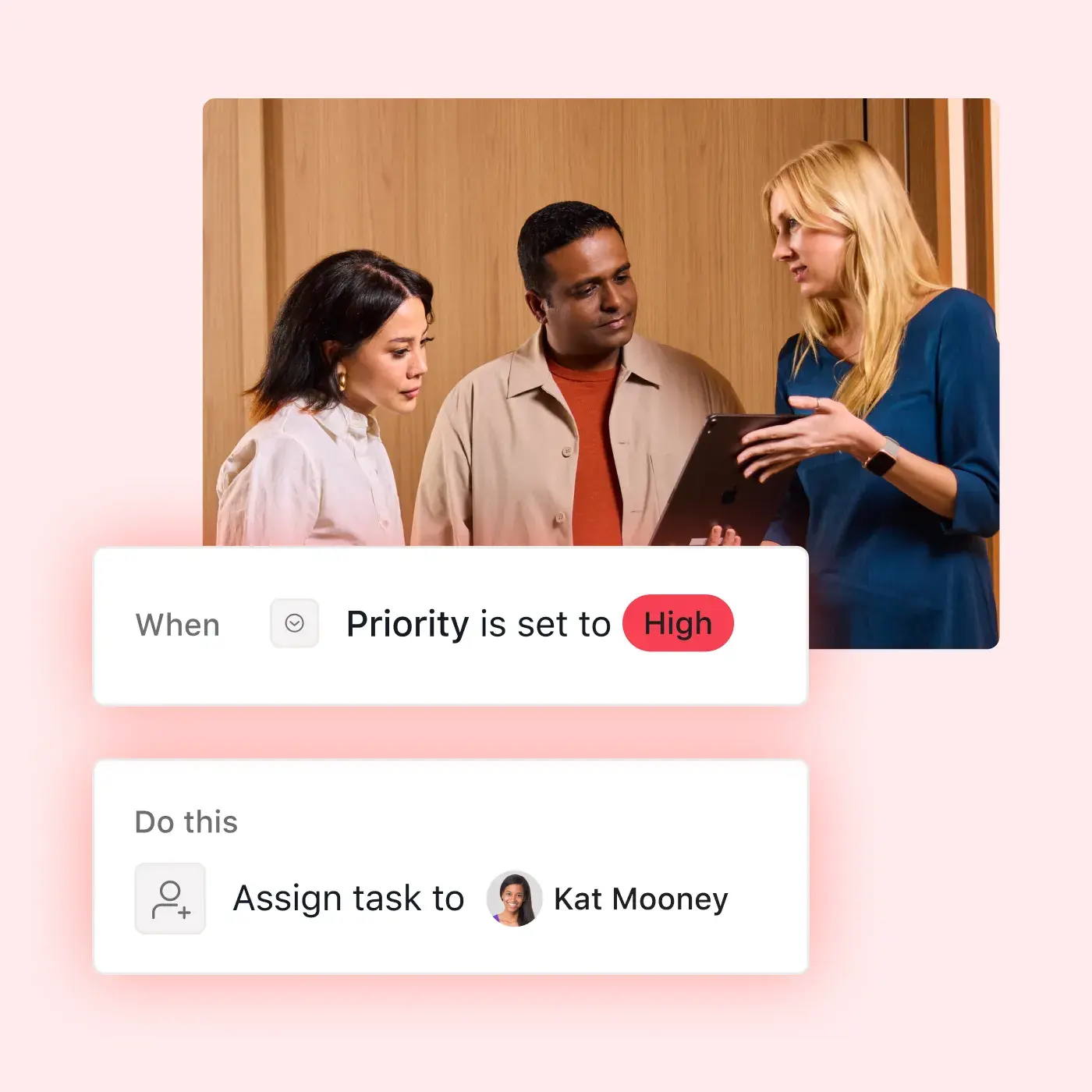
Rules let you assign tasks or notify teammates when work reaches a new stage. Workflow Builder helps teams set up those handoffs, while custom templates preserve the steps for processes they run repeatedly. Recurring tasks keep routine work on the calendar, and together these features make Asana a task management tool that adapts to how your team actually works. For processes that span multiple teams, explore how Asana supports workflow management.

Built for the teams that assign, track, and finish work together




Assign work effectively
Handing out work all day and tracking it becomes a second job. Asana provides managers with task delegation software that records an owner and due date for every assignment, while each teammate sees their work in My Tasks. As employee task management software, Asana gives managers one place to see who owns what and watch it move, instead of asking about it.
Blackboard status updates take just 15 minutes with Asana
Blackboard’s UX design team previously tracked requests across several tools, making it hard to see priorities and gather updates. After bringing requests into Asana, the team reduced the effort needed for updates and quantified their work, so they know where they’re overallocated and where to improve resourcing.

![[case study] Blackboard-share-image](https://assets.asana.biz/transform/da36eecc-4de6-4778-b564-bdb9f76a3ec0/card-blackboard-asana-customer?io=transform:fill,width:1120&format=webp)
My monthly status update used to take me an hour or two, and now it takes just 15 minutes. Asana Portfolios has decreased the amount of bespoke updating we do.Joannie Wu
Design Manager, Blackboard
Put your team’s tasks in one place
Every week used to start with a round of “Where are we on this?” messages. With Asana, you can open your team’s task list and see what’s due, who owns it, and what needs attention. Teammates can update their work in the same place. When someone asks for a status update, the answer is already there.
Frequently asked questions about task management tools
Task management is the process of planning, assigning, tracking, and completing the individual pieces of work that make up a project. At it’s core, it’s about breaking a goal down into specific tasks, assigning an owner and due date to each one, deciding what to tackle first, and confirming the work actually gets done. For team task management, it also means giving everyone visibility into who's doing what, so work isn’t duplicated or missed.
Task management software is a shared tool for recording the work a team needs to do and following its progress through completion. It replaces scattered to-do lists and spreadsheets that leave people unsure which assignments are current. With Asana, teams can keep task details and updates together so everyone can see who is responsible and what comes next.
Task management software gives you one place to create, assign, and track tasks. It records who owns each task, when it's due, and how it fits into the larger project, so you can check progress without asking for a status update. Many tools, including Asana, also support templates and automated rules, which allow your team to set up a process once and reuse it.
Look for task tracking tools that give your team one place to capture work, a clear owner and due date for each task, useful project views, and automation for repeatable steps. Asana brings all those capabilities together, so teammates can track assignments and managers can see progress. For a fuller comparison of options, see our guide to the best task management software.
Task management software tracks individual assignments: who owns them and how far along they are. Project management software organizes those tasks into a larger plan with phases and a delivery date. Asana supports both, so a team can manage day-to-day tasks and project management in the same place as the work grows.
Yes. You can try free task management software with Asana, which includes tasks and projects, plus List, Board, and Calendar views. Paid plans expand your options, offering you access to more seats and advanced features like Timeline and reporting dashboards. Compare the current options on the Asana pricing page.
Asana is built for team task management, helping teams coordinate work by assigning a named owner to each task and using rules to route assignments as work progresses. You can also use Asana for a personal to-do list. When a task belongs to more than one project, multi-homing keeps it as a single shared task rather than as separate copies. As the team takes on more projects, portfolios give managers a view of progress across them.
Teams create tasks in Asana, assign an owner and due date to each, and add details such as priority, dependencies, files, and comments. Project views show what is due and who owns it, while dependencies make blocked work visible. Teammates can update each task as work progresses, so its status stays with the assignment. You can also delegate your to-do list and schedule recurring tasks as priorities change.
Yes. Asana connects with 200+ apps, including Gmail, Google Drive, Outlook, Microsoft 365, Microsoft Teams, Slack, Dropbox, and Jira. These integrations help you turn conversations into tasks and keep work connected to the tools you use each day. Explore the available Asana app integrations to check what works with your team’s setup.
You set up your first shared task list in a day by creating a project and assigning owners and due dates. You can start with a simple list and add more detail as your team uses it. For repeatable work, a task management template provides a starting structure so you don’t have to build every process from scratch.